
|
|
||||||||
|
|||||||||
|
|||||||
| Other Games Other games for PC's and Consoles. |
 Minecraft
|
|
Login or Register now to see less ads. |
|
|
Thread Tools | Display Modes |
|
|
|
#1
 08-01-2011, 10:45 PM
|
||||
|
||||
|
Alright, when I put them in there, it says they're there, I close it, start up Minecraft, press 'O' in my inventory, and it doesn't work.(?)
|
|
#2
08-02-2011, 01:22 AM
|
||||
|
||||
|
Quote:
|
|
#3
08-02-2011, 01:39 AM
|
||||
|
||||
|
Currently, I don't have any other mods installed. Though I'm planning on getting the clay soldier mod, cuz that just looks awesome. Lol
EDIT: If you aren't familiar with the clay soldier mod, here's a video showcasing it epicness. It's truely awesome. Read up on it. http://www.youtube.com/watch?v=TH-3t...eature=related Last edited by pieisbetter2; 08-02-2011 at 04:41 AM.. |
|
#4
08-02-2011, 05:31 AM
|
||||
|
||||
|
My progress so far. You'll notice a new top section. I have a little factor which I'm using to convert all of the sand I dug out into glass. No snow will be able to enter the city then(yes!) but I'm going to need a lot of glowstone and candles so that the snow won't cover up the glass.
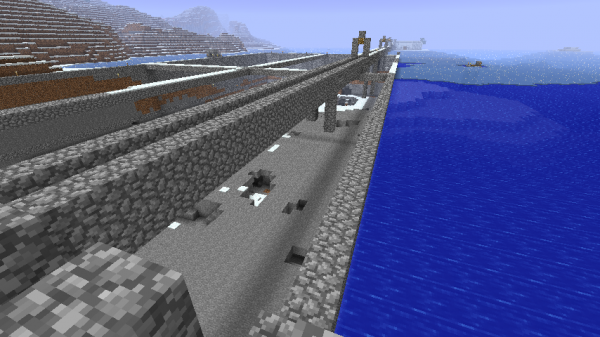 Only 40 more layers to go! xD Also, I've been looking at the Aether mod and I'm losing my mind over how cool it looks. If I want to download it, having no other mods installed previously, how do I go about it? I know the minecraft wiki says I need to install three other mods so could anyone go through the process on how to do this? I don't want to corrupt anything with my existing world and I know I'll mess something up along the way if I try this without knowing how to do everything correctly. |
|
#5
08-02-2011, 06:05 AM
|
||||
|
||||
|
Quote:
First you'll need a program called WinRar, but 7zip works. If you have a Mac, Archive Utility or The Unarchiver are good programs. The mods you'll need are Audiomod, Modloader, and ShockAPI. Step 1: Open up your .minecraft folder and go to your bin folder. Step 2: Open up your minecraft.jar with your unarchiving program. Step 2 1/2: Delete Meta-INF folder. ( If your on a Mac, delete the contents of the Meta-INF folder. Step 3: Move all files in the Modloader folder into your .jar. Step 4: Move all files from the Audiomod folder into your .jar Step 5: Move all files from the jar folder in the ShockAPI folder into your .jar Step 6: Move all files from the jar files folder in the Aether folder into your .jar. Step 7: Close your minecraft.jar Step 8: Move all files from the Resources folder in the Aether folder into your Resources folder in your .minecraft Step 9: Go into your saves folder and copy and paste them to your desktop. ( Just in case they get corrupted. Step 10: Load up minecraft Step 11: If you get a black screen, delete your bin folder and try again. |
|
#6
08-02-2011, 11:36 AM
|
||||
|
||||
|
Quote:
Speaking of the Aether... I just finished a PVP/Spleef Arena. Spoiler for Images:
|
|
#7
08-02-2011, 12:25 PM
|
||||
|
||||
|
O_O I believe you have just outdone yourself.
|
| Thread Tools | |
| Display Modes | |
|
|

















 Hybrid Mode
