
|
|
||||||||
|
|||||||||
|
|||||||
| Fixed Geek Squad Rescued These Threads |
 Computer Problem: Need help now...
|
|
Login or Register now to see less ads. |
|
|
Thread Tools | Display Modes |
|
#1
 08-19-2009, 06:54 AM
|
||||
|
||||
|
Computer Problem: Need help now...
I don't know what I pressed but I pressed something, and now there's no... buttons anywhere unless i put the mouse over them and it's skinny. How do I bring everything back?
I don't know what I did wrong, but it shows the whole screen, and I don't like that, please help. 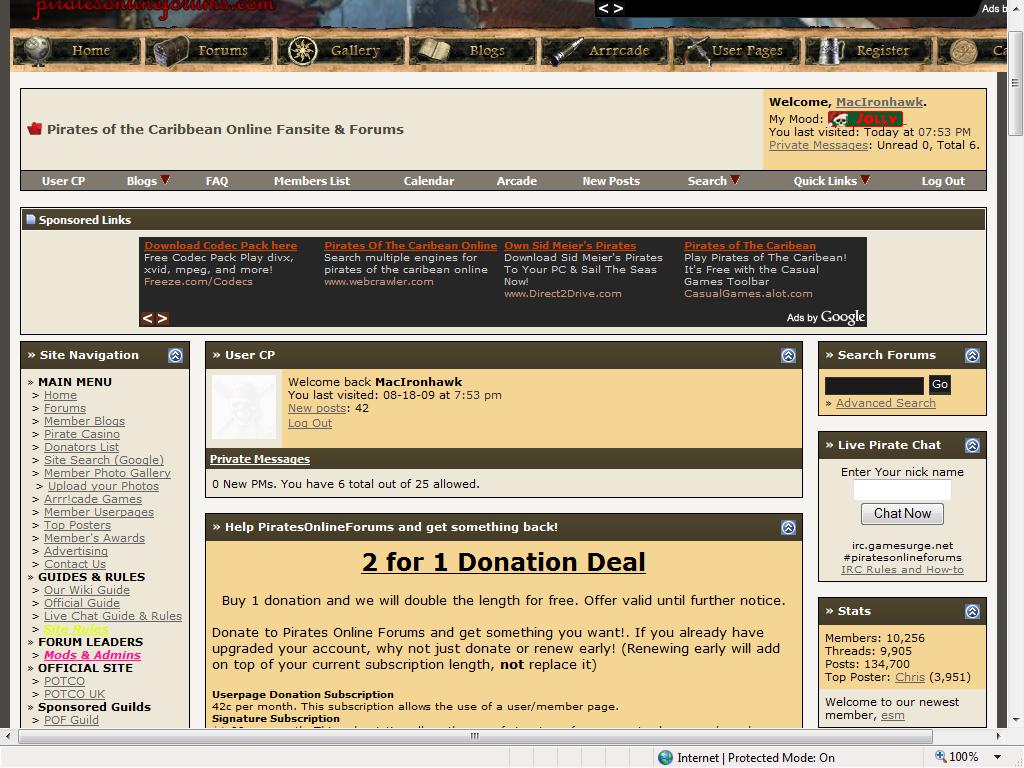
|
| Thread Tools | |
| Display Modes | |
|
|













 Threaded Mode