
|
|
||||||||
|
|||||||||
|
|||||||
| Old Screenshots Screenshots Archive |
 Some rare bosses
|
|
Login or Register now to see less ads. |
|
|
Thread Tools | Display Modes |
|
#1
 05-08-2009, 03:10 AM
|
||||
|
||||
|
Some rare bosses
Swamp Terror
 Hugh Brandish  Rip Tail (This was on my level 11 account.)  Man Ripper  Bowbreaker (This was when I was basic acouple months ago.) 
|
|
#2
05-08-2009, 03:36 AM
|
||||
|
||||
|
Quote:
Is that his name or a suggestion? lol   Nice pictures mate! Interesting to see some of the lesser known Boss's. I've come across a few strange ones meself 
|
|
#3
05-08-2009, 05:46 AM
|
||||
|
||||
|
Hehe, I've had me fair share of seeing these rando-bosses. I'll try to post pictures as soon as I can figure out how :P.
|
|
#4
05-09-2009, 04:38 AM
|
||||
|
||||
|
Easy. Just go to photobucket, and then browse. Click C:\ then Program Files, then disney. Find the screenshot and upload it, then post the direct image code.
|
|
#5
05-09-2009, 03:44 PM
|
||||
|
||||
|
Say, has anyone ever seen or is there any bosses for Davy Jones' crew?
As hard as they are normally, I think a boss would be nigh unbeatable! Oh yeah, and I am making a pic folder with spawnable bosses in it, take a look Bosses Picture folder |
|
#6
05-12-2009, 03:23 AM
|
||||
|
||||
|
I disagree with that, a level 40 urchinfish boss wouldn't be too bad. Grenades are weak!
BTW, got my pics: take a look. 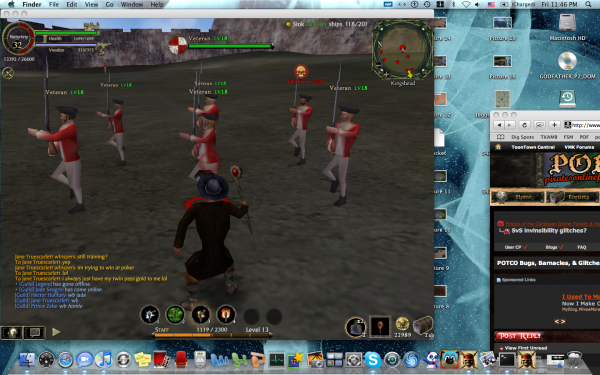 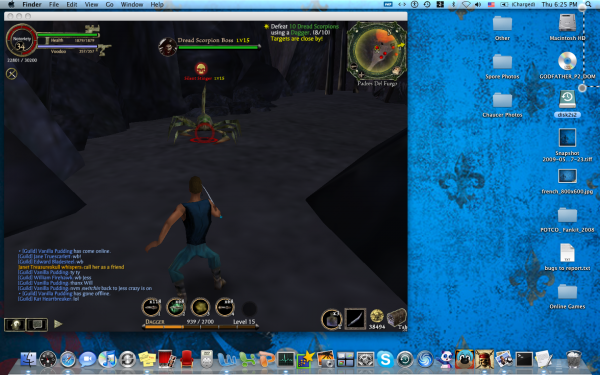 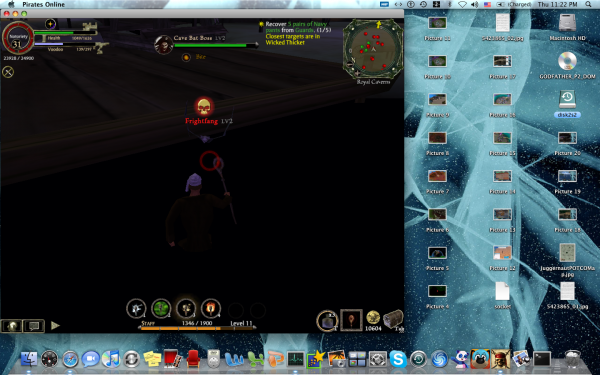 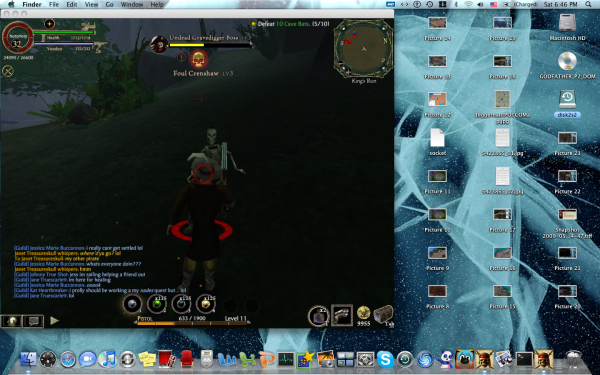
Last edited by Dr. Zeppers; 05-12-2009 at 03:29 AM.. Reason: Merged consecutive posts |
|
#7
05-13-2009, 01:53 AM
|
||||
|
||||
|
truffleboy you must be using the Mac's screenshot mode instead of the one built into Pirates. Nice to see your desktop but rather unnecessary. Just hit f9 in Pirates to take a shot. They get stored in your pirates folder (on PC's not sure about Macs)
|
|
#8
05-13-2009, 02:34 AM
|
||||
|
||||
|
A mac's F9 key is a fast forward to next song button. Macs are completely different than windows. I did crop the pictures, but they become .tiff, which the site does not support. I assure you, there's a method to my madness.
|
|
#9
05-13-2009, 02:38 AM
|
||||
|
||||
|
Quote:
__________________

|
|
#10
05-13-2009, 02:46 AM
|
||||
|
||||
|
Yeah, you would think so. =/
|
|
#11
05-13-2009, 02:50 AM
|
||||
|
||||
|
Quote:
Okay so open up you System Preferences. Option #1 -Look under HARDWARE and click Keyboard & Mouse -Click on Keyboard tab up top (you should see Keyboard-Mouse-Bluetooth-Keyboard Shortcuts) -Check the box that says: Use all F1, F2, etc. as standard function keys -Next, go the the Keyboard Shortcuts tab -Scroll down to F9 and make sure it is UNCHECKED You should now be able to take a picture in game by simply pushing F9 **NOTE: By following the above steps you will NOT be able to use your Shortcut keys for their assigned shortcuts** ---------------------------------------------------------------------------------------------------------- If you would like to continue using your shortcut keys such as the "next song button" Simply: -Look under HARDWARE and click Keyboard & Mouse -Click on Keyboard tab up top (you should see Keyboard-Mouse-Bluetooth-Keyboard Shortcuts) -UNCheck the box that says: Use all F1, F2, etc. as standard function keys Instead of just pushing F9 you will now have to push fn & F9 at the same time. Hope that helps!! If you have any questions (for it is a little confusing) Just ask ~PG09~ |
|
#12
05-13-2009, 02:57 AM
|
||||
|
||||
|
Thanks for the tip, I'll be sure to try that next time I'm on potc.
|
|
#13
06-28-2009, 11:21 PM
|
||||
|
||||
|
More Boss Pics
        
|
|
|













 Linear Mode

